15 September, 2026
Tuesday
BLOG
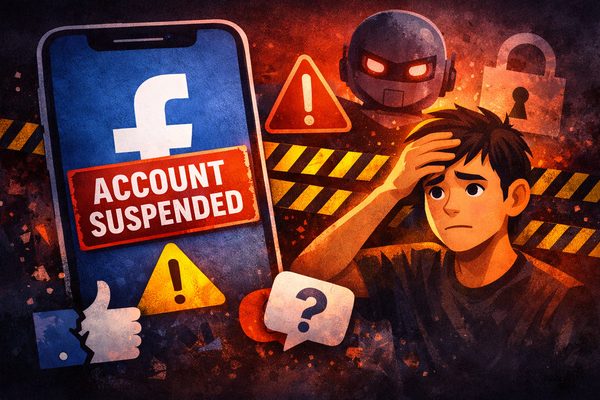
How to Recover a Suspended Facebook Account and Avoid Getting Blocked Again
If your Facebook account has been suspended, restricted, or blocked, you are not alone.
Every day, people lose access to Facebook because of posts, comments, shared images, Messenger activity, or account behaviour that Meta’s systems interpret as risky, abusive, misleading, explicit, or against the platform’s Community Standards. In many cases, users say they did not intend to break any rules at all. That is part of the problem.
Facebook does not judge content only by what you meant. It judges content by how its systems, moderators, and reporting tools interpret what you posted or sent.
I know this from personal experience. I have had content flagged, I have dealt with account issues, and I have seen how frustrating it can be when Meta’s automated systems appear overly cautious. In some of my own cases, the decision was later reversed after review.
One example stands out very clearly. I posted a photo from a dance show at my restaurant featuring an adult male performer in his 20s. To me, it was an ordinary performance photo. However, Meta’s systems appeared to flag it as possible sexual content involving a minor, or as content that might breach child safety rules. After review, that decision was overturned. But the experience changed the way I look at posting images online.
My personal takeaway was simple: even when a photo looks normal and innocent to you, automated systems may assess it very differently. If an image includes a younger-looking adult, a performance setting, revealing clothing, or limited context, there is a real risk that the system may interpret it conservatively and flag it first. Because of that, I have become far more cautious about posting shirtless or borderline performance images at all. In 2026, protecting your account often means thinking not only about what is true, but about how an automated review system may misread what you share. But the lesson was still very clear: if you use Facebook, Instagram, Messenger, or Meta’s wider ecosystem carelessly, you are taking a real risk with your account.
This article explains why Facebook suspends accounts, what not to post, how Facebook Community Standards work in practical terms, and what to do if your Facebook account has already been suspended.
Why Facebook Suspends Accounts
A Facebook suspension usually happens for one of four reasons:
1. Content allegedly broke Community Standards
This can include posts, comments, images, videos, captions, page content, or shared material that Meta believes falls into areas such as harassment, nudity, sexual content, privacy violations, hate speech, misinformation, scams, or dangerous behaviour.
2. Messaging activity triggered safety systems
People often assume Messenger is private in the everyday sense of the word, but it is still part of Meta’s platform. Reported conversations, abusive message patterns, explicit images, scam-like messaging, or harmful shared content can still lead to action against an account.
3. Account behaviour looked suspicious
Too much activity too quickly, repeated friend requests, duplicate posts, spam-like messaging, automation, fake engagement, or unusual logins can trigger temporary blocks, identity checks, or full restrictions.
4. The account was hacked or compromised
Sometimes the issue is not a policy breach at all. A hacked Facebook account can start posting spam, sending scam messages, or changing settings, which may then cause Meta to suspend or limit the account.
The Biggest Mistake Facebook Users Make
The biggest mistake is thinking:
“It's my Facebook, so I can post what I like.”
That is not how Meta sees it.
Facebook is not your personal server or private digital property. It is Meta’s commercial platform. When you created your account, you agreed to use that platform under Meta’s Terms and Community Standards. Whether you agree with every rule is irrelevant once you are using the service.
That is why people need to stop thinking only about freedom of expression and start thinking about platform compliance.
What Not to Post on Facebook, Instagram or Messenger
If you want to protect your account, avoid posting, commenting, forwarding, uploading, or privately sending content that could reasonably be interpreted as any of the following:
Sexually explicit content
Do not post or send graphic sexual images, pornography, sexual solicitation, or explicit material. Even if you think it is consensual, private, humorous, or only between adults, it can still create a serious account risk.
Anything involving minors
Never share, forward, store, joke about, request, or discuss sexualised content involving minors. This is one of the most serious categories of enforcement and can lead to immediate and severe action.
Harassment and bullying
Avoid targeted humiliation, repeated personal attacks, aggressive insults, threats, intimidation, public shaming, or abusive comments aimed at specific people.
Hate speech or discriminatory attacks
Do not attack people based on race, religion, nationality, gender, sexuality, disability, or other protected characteristics.
Violent threats or dangerous statements
Threats, encouragement of violence, glorification of violent acts, or content that looks like incitement can trigger strong enforcement.
Private images or personal information about other people
Do not post screenshots, chat logs, private photographs, allegations, addresses, contact details, or sensitive information about others without thinking about privacy and harm.
Spam, scams, fake giveaways or impersonation
Fake promotions, copied messages, misleading links, impersonation, phishing attempts, and suspicious mass messaging behaviour are exactly the kind of activity Meta watches closely.
False or misleading claims
Repeatedly sharing false, manipulated, or misleading information can reduce your reach and may contribute to further restrictions depending on the type of content and how Meta classifies it.
Content that looks harmless to you but risky to Meta
This is where many users get caught. Sarcasm, dark humour, jokes between friends, reposts for commentary, or emotional rants can all be read very differently by an automated system or a reviewer looking at the content out of context.
How Facebook Community Standards Work in Real Life
In theory, Meta publishes rules and then enforces them.
In real life, enforcement can come from several directions at once:
-
AI detection systems
-
user reports
-
account behaviour analysis
-
repeat violation history
-
linked behaviour across Facebook and Instagram
-
safety signals around messages, media, or account access
That means you can run into trouble from more than just a public post on your timeline.
A comment on another person’s post, a controversial meme, an image you forward in Messenger, repeated mass messaging, a screenshot of a private conversation, or content shared to a Facebook Page can all contribute to account restrictions.
Messenger and Instagram DMs: What People Get Wrong
One of the most common misunderstandings is that private messages do not matter.
They do.
Messenger and Instagram direct messages are still part of Meta’s ecosystem. If content is reported, if behaviour appears abusive or scam-like, or if your account triggers safety checks, those interactions can become part of the enforcement picture.
That does not mean users should assume Meta is manually reading every chat in the way people often imagine. But it does mean private messaging is not a free pass to ignore the platform’s rules.
How to Recover a Suspended Facebook Account
If your Facebook account has been suspended or disabled, stay calm and work methodically.
The right recovery path depends on what actually happened.
Situation 1: Your account was suspended or disabled for a policy reason
If Facebook says your personal account is suspended or disabled, the first step is to follow the review or appeal process shown inside Facebook. Meta’s help guidance says suspended personal accounts can generally be appealed within 180 days. If you miss that window, the account may be permanently disabled.
What to do:
-
Log in and read the exact notice carefully.
-
Check whether Facebook offers a Review, Request Review, or Appeal button.
-
Submit the appeal clearly and calmly.
-
Do not send abuse, threats, or emotional rants in your appeal.
-
Explain briefly if the content was taken out of context or flagged incorrectly.
-
Complete any identity confirmation steps if requested.
Good appeal approach:
-
be factual
-
be polite
-
identify the content involved if possible
-
explain why you believe the decision was incorrect
-
avoid long emotional essays
Situation 2: Your account was hacked
If the account issue looks like spam posts, strange logins, changed email addresses, unknown messages, or activity you did not do, treat it as a hacked account problem first.
What to do:
-
Use Facebook’s hacked-account recovery process.
-
Try to use a device and browser you have previously used to log in.
-
Secure your email account first if that may also be compromised.
-
Change your Facebook password.
-
Review recent logins and remove unknown devices.
-
Turn on two-factor authentication.
If a hacked account was suspended because of actions taken by the attacker, make that clear in the recovery process.
Situation 3: You are temporarily blocked from a feature
Sometimes Facebook does not disable the whole account. Instead, it blocks certain actions such as posting, messaging, commenting, advertising, or sending friend requests.
What to do:
-
stop trying to force the action repeatedly
-
wait for the restriction period to expire
-
reduce spam-like behaviour
-
review recent posts, messages, or repetitive actions
-
check Account Status if available
Repeated attempts to push through a temporary block can make the situation worse.
Situation 4: Your Page was restricted or taken down
If it is a Facebook Page rather than your personal profile, Meta may offer an appeal directly from the Page. Check the notice carefully and use the specific Page appeal route if available.
Step-by-Step Recovery Checklist
If you want the clearest practical process, use this checklist:
Step 1: Identify the type of problem
Ask:
-
Was I suspended for content?
-
Was I hacked?
-
Am I only temporarily blocked?
-
Is it my Page, my profile, or my Instagram linked account?
Step 2: Check your recent activity
Review:
-
recent posts
-
comments
-
shared images
-
Messenger conversations
-
Instagram DMs
-
group posts
-
page posts
-
forwarded screenshots or private content
Step 3: Look for the trigger
Ask yourself honestly whether any content could be interpreted as:
-
harassment
-
nudity or sexual material
-
hate speech
-
threats
-
spam
-
scam behaviour
-
misinformation
-
privacy invasion
Step 4: Use the correct official recovery path
Do not guess. Use the correct route for:
-
suspended account
-
hacked account
-
locked account
-
temporary block
-
Page restriction
Step 5: Prepare to verify your identity
Facebook may ask for ID or other identity confirmation. Make sure the information on your account is real, accurate, and consistent.
Step 6: Strengthen account security immediately
After recovery, change your password, remove suspicious sessions, update recovery options, and enable two-factor authentication.
Does Meta Verified Help?
In some cases, yes.
If you have a paid Meta Verified subscription, you may have access to enhanced support, including human support options. Meta’s official help says chat support is generally available through the Facebook or Instagram mobile apps, not desktop. That can be useful if your case was flagged incorrectly or you need help navigating the recovery process.
However, Meta Verified is not a guarantee that every decision will be reversed. It is a support advantage, not immunity from enforcement.
How to Avoid Getting Suspended Again
Once your account is restored, change your behaviour immediately.
Best practices:
-
do not post while angry
-
avoid resharing shocking images or screenshots
-
do not send explicit content through Messenger or Instagram DMs
-
avoid targeted personal attacks
-
do not mass-message people with repeated content
-
avoid fake engagement tactics
-
verify political or controversial claims before sharing
-
do not post private material about other people
-
avoid any joke that could look threatening, abusive, or exploitative when taken out of context
The Hard Truth About Facebook in 2026
Many users still behave as if Facebook is a neutral public square.
It is not.
It is a rules-based platform run by a private company that uses automation, reporting systems, behaviour analysis, and policy enforcement to decide what stays up and which accounts stay active.
You do not need to agree with every decision Meta makes. But if you want to keep your Facebook account, Messenger access, Instagram reach, and Page visibility, you need to understand the system you are participating in.
The safest mindset is this:
Assume every post, every comment, every image, and every message could one day be reviewed without your personal context.
If that would put you in a weak position, do not post it.
Final Word
If your Facebook account has been suspended, the worst thing you can do is panic, blame everyone else, and keep posting the same kind of content once you get back in.
The smarter move is to understand why the suspension happened, follow the correct recovery path, clean up your risk areas, and treat Facebook as what it really is: a commercial platform with rules, not a consequence-free personal space.
If you learn that lesson early, you have a much better chance of keeping your account safe.
Recent News